OBERONLoading this pagePuck would be open by now.0 ms
Download

Puck

Everything GitHub Desktop does, rebuilt in Rust and drawn on your graphics card. It opens in under a fifth of a second.

Version
1.0.2
Runs on
Windows, Linux
Costs
Nothing

Same habits. New engine.

Puck ports GitHub Desktop’s behaviour feature by feature, under its MIT license: the same views, the same dialogs, the same keyboard shortcuts. If your hands know GitHub Desktop, they already know Puck.

On first start, Puck offers to bring over the repositories GitHub Desktop knows about, along with your editor and shell. Signing in is only for GitHub features. Puck works with any Git host.

Ctrl 1

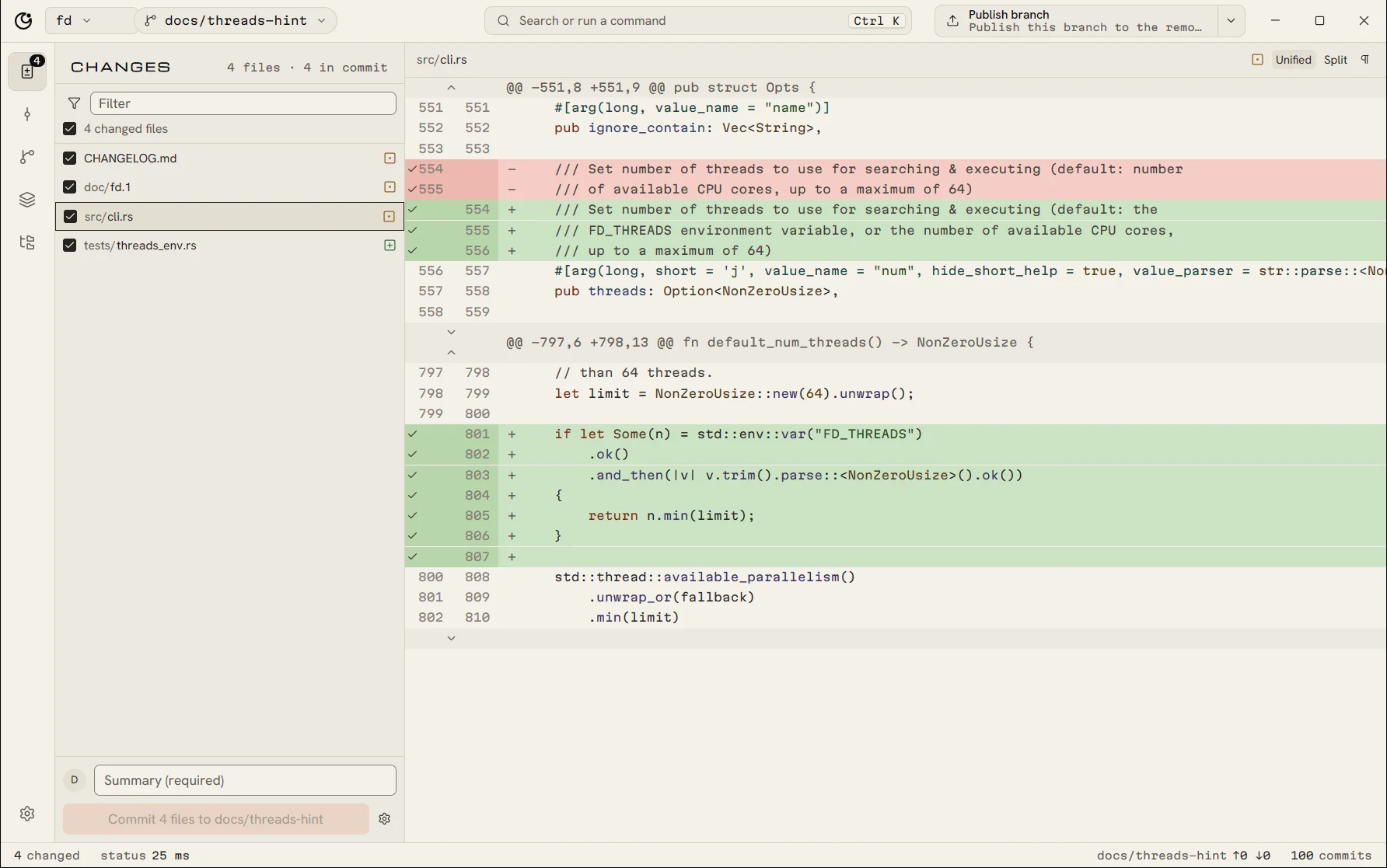
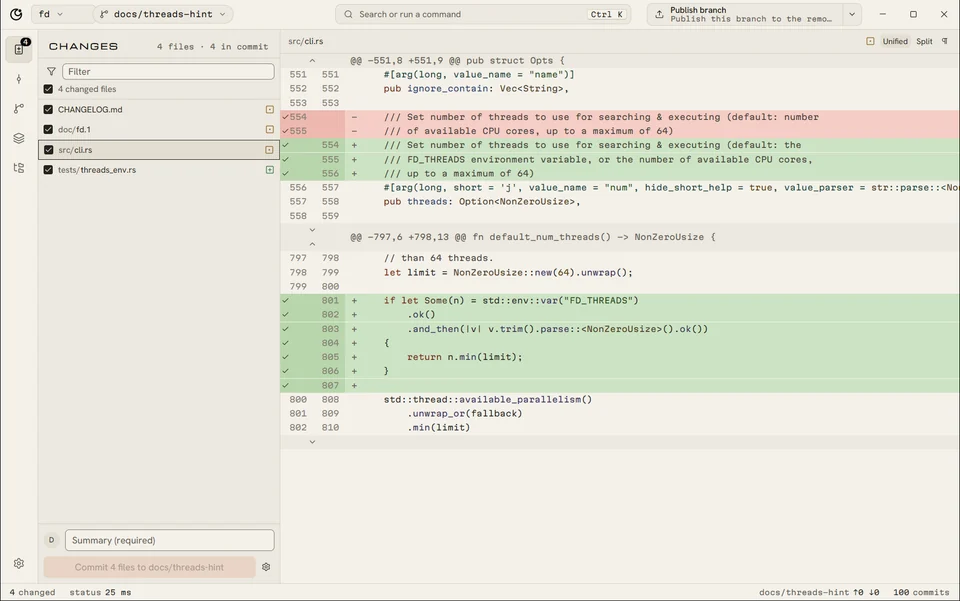
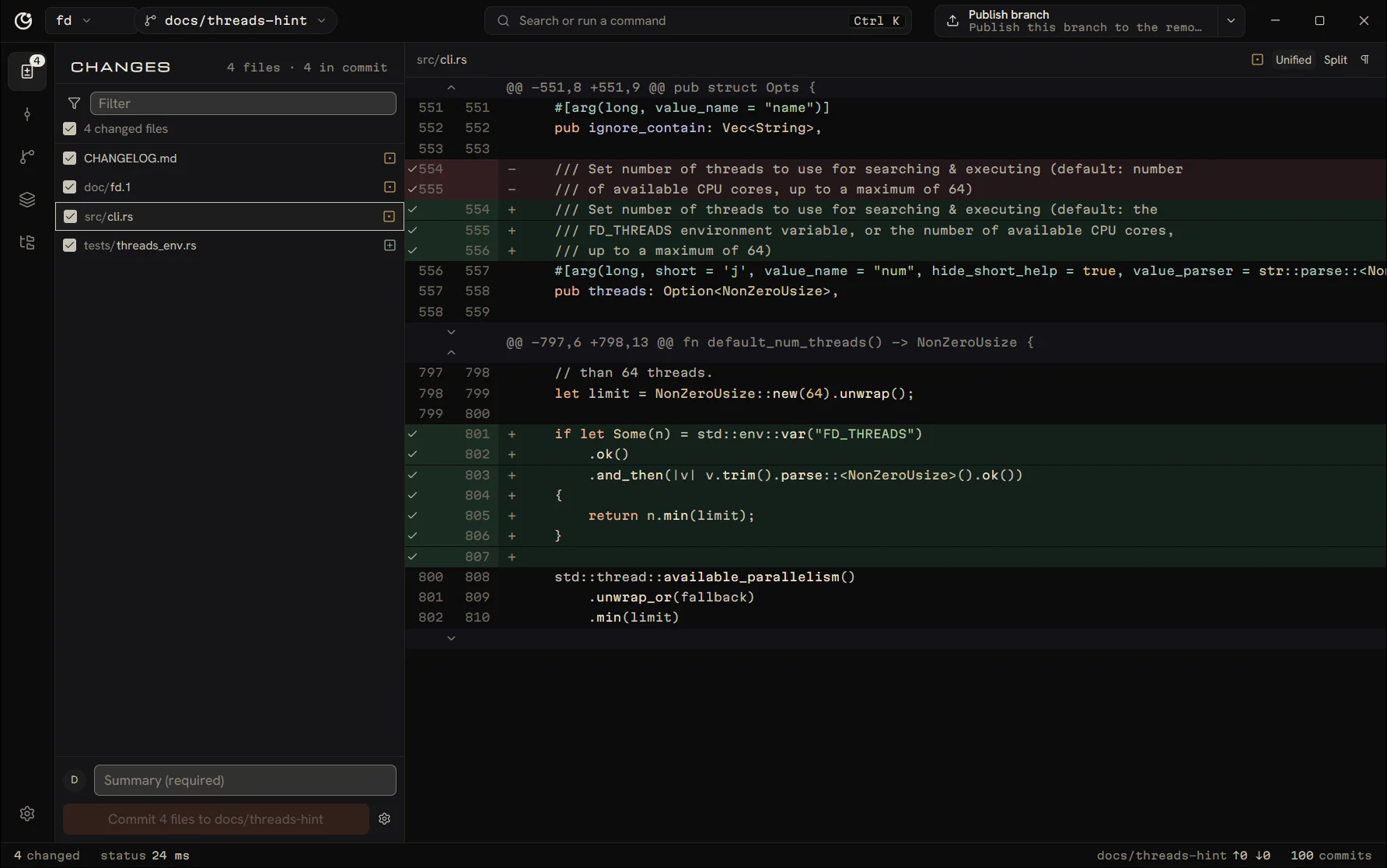
Commit exactly what you meant.

Click line numbers to take single lines, or the bar beside a block to take the block. Write a summary, press Ctrl Enter, done. Amend, sign off, or add co-authors from the same form.
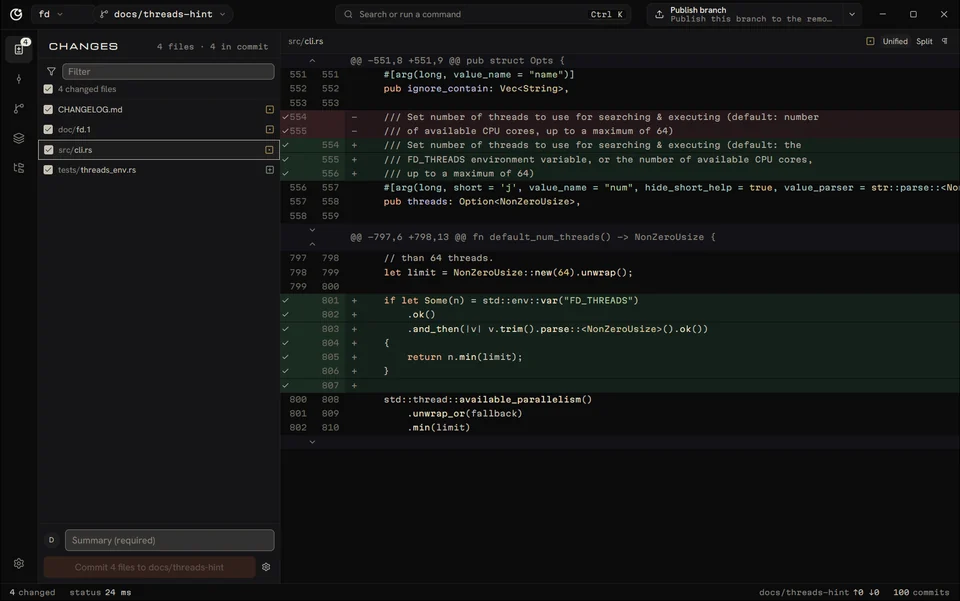
Puck’s Changes view: four changed files on the left, a Rust diff on the right with added lines in green
Ctrl 2

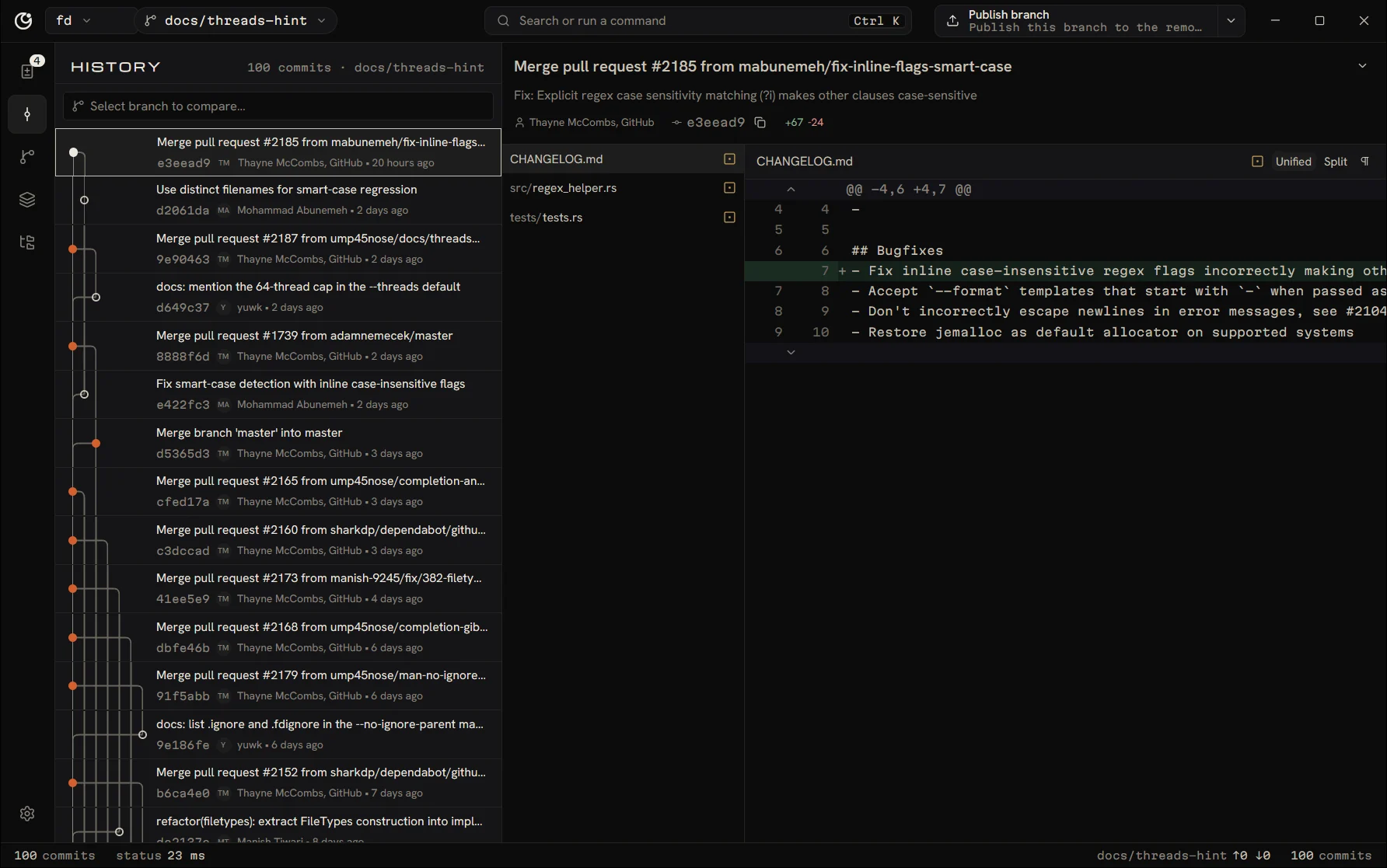
The whole history, graph included.

Lanes come straight from Git’s parents, drawn only for the rows on screen, so 100,000 commits scroll at 2.3 ms a frame. Drag commits to reorder them, drop them on a branch to cherry-pick.
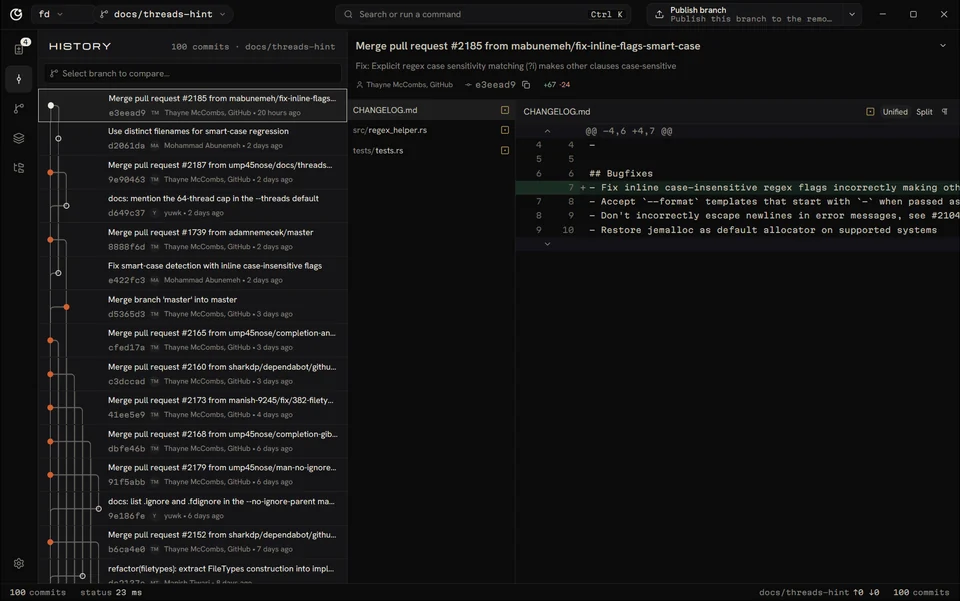
Puck’s History view: a commit list with a branching graph and an open merge commit with its diff
Ctrl 3

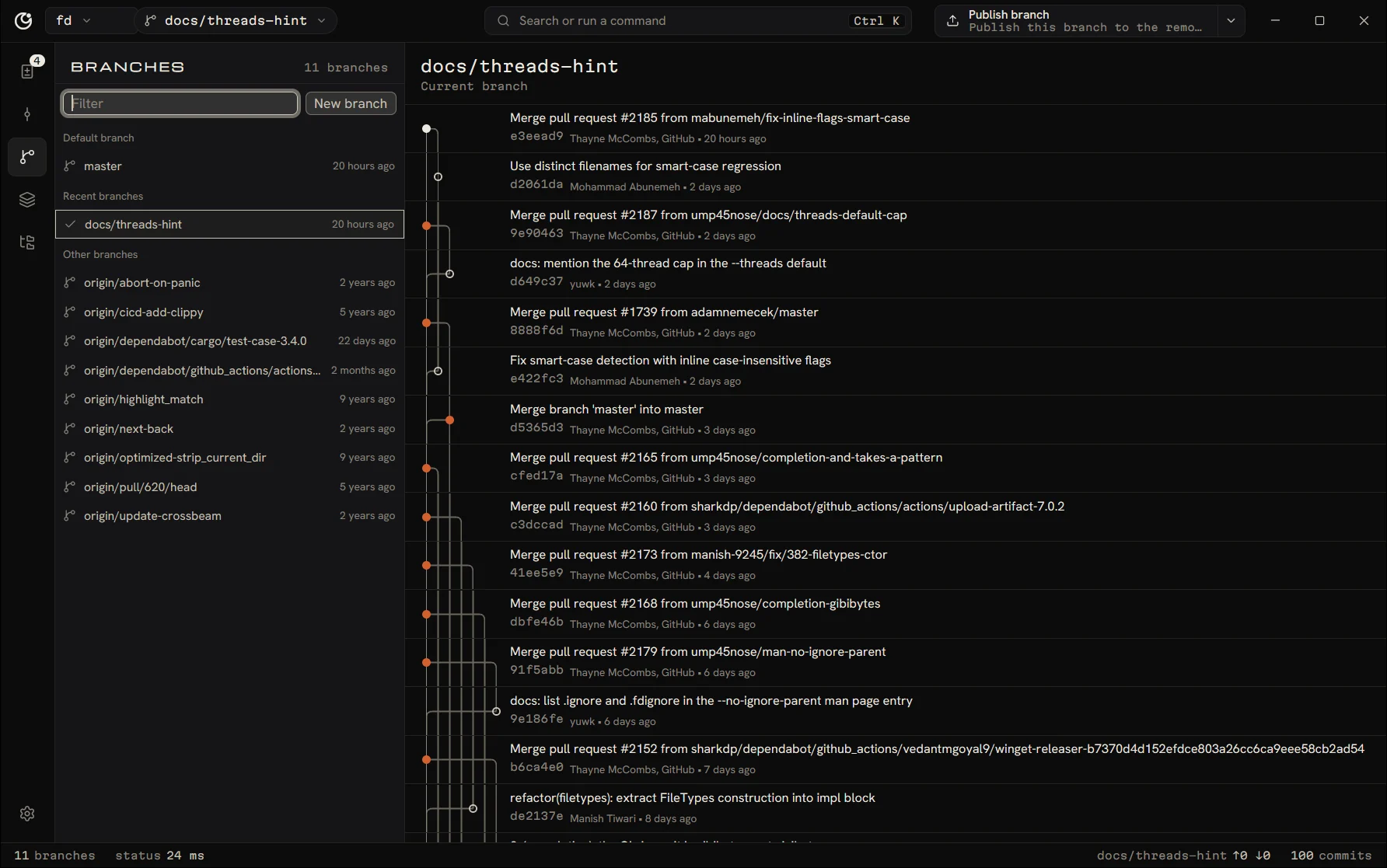
Merge with your eyes open.

Puck says before a merge starts whether it will conflict, and before a rebase whether it will need a force push. When it does, Puck uses --force-with-lease, so it never overwrites work it hasn’t seen.
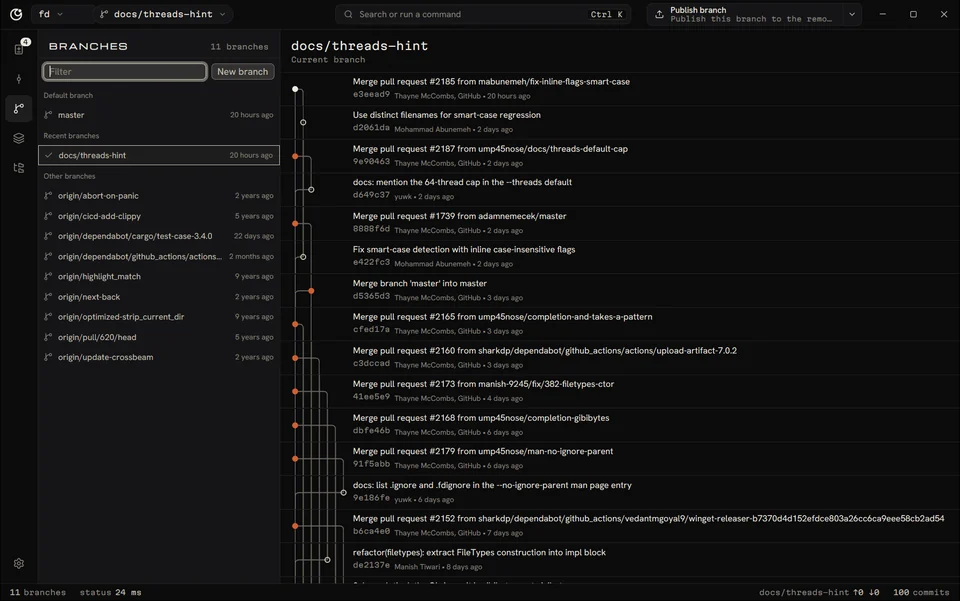
Puck’s Branches view with the branch list and the commits a branch has that the current one lacks
Ctrl K

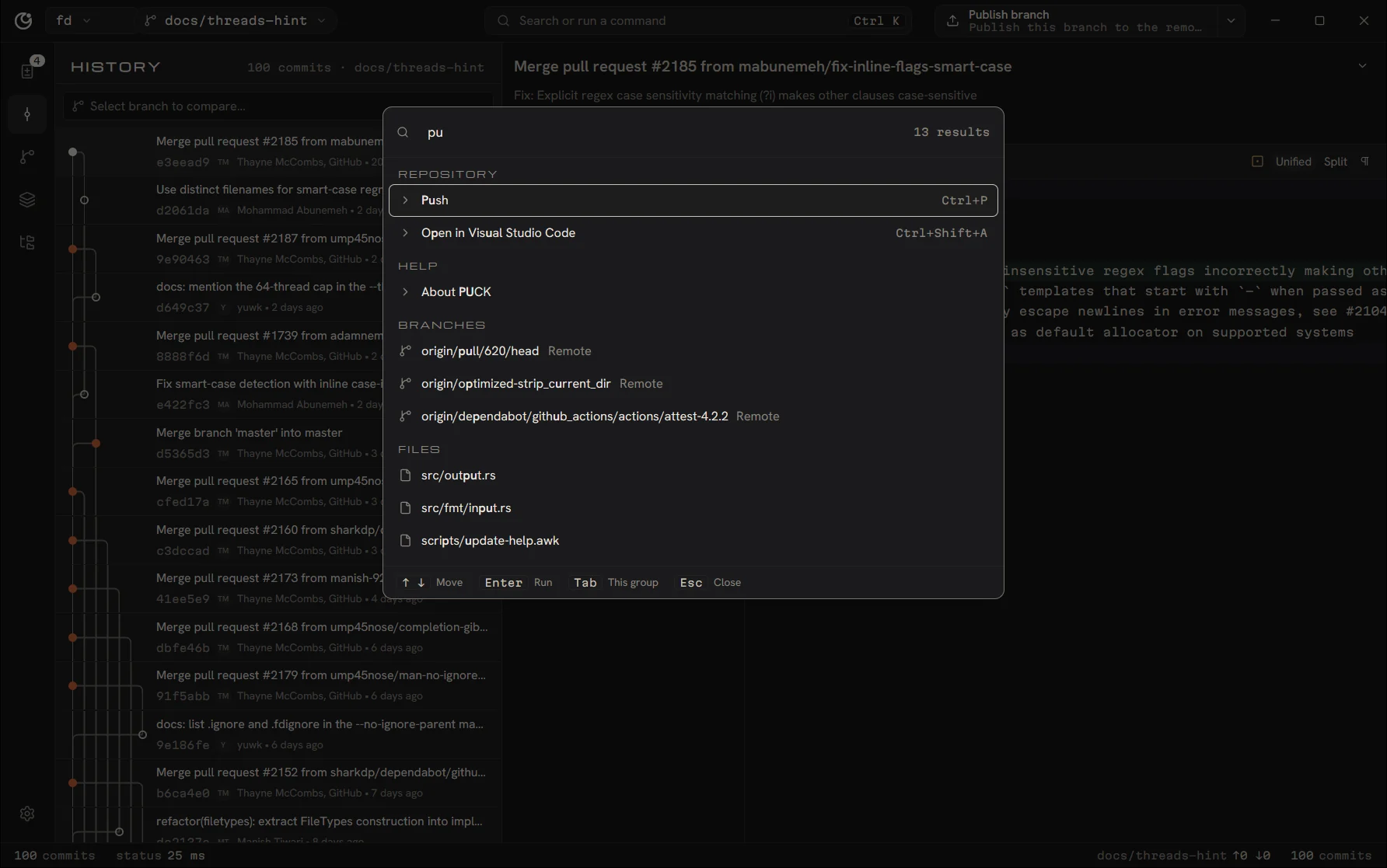
Ctrl K, then type.

Commands, repositories, branches and tracked files share one list, matched as you type with the same fuzzy scoring GitHub Desktop uses for its filters. It opens in about 10 ms.
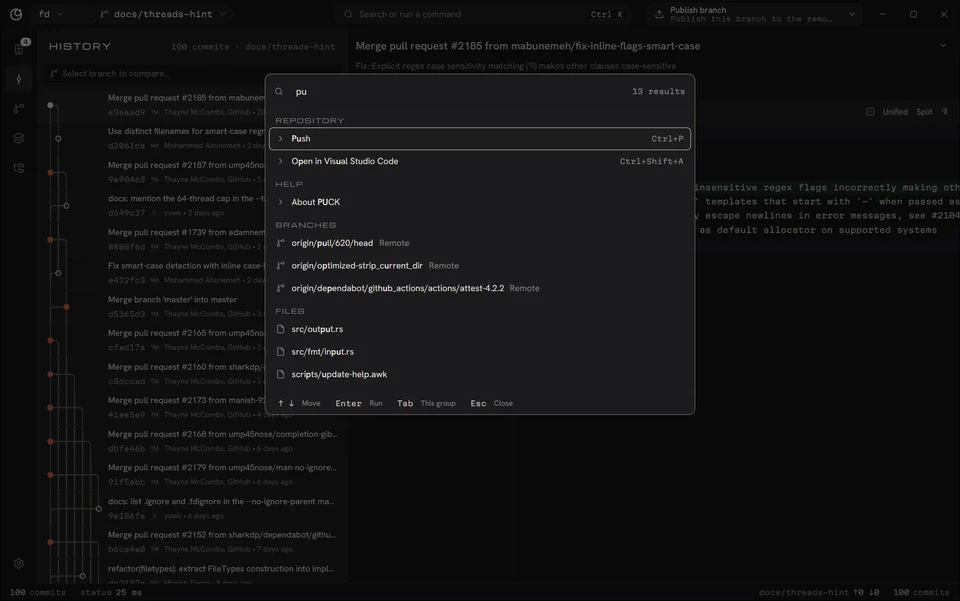
Puck’s command palette open over the window, listing matching commands, branches and files
Ctrl ,

Bone, for daylight.

A light theme drawn from the same palette, or let Puck follow your system. Row density, diff colours, tab size and date formats are yours to set.
Puck’s Changes view in the light Bone theme

The rest is where you left it.

Sync
One button does the next useful thing: publish, pull, push or fetch. Puck fetches in the background.
Pull requests
Signed in to GitHub, see open pull requests with their checks and check one out to work on it.
Stashes
Switch branches with uncommitted work and choose: leave it stashed here, or bring it along.
Worktrees
Check out another branch in a second folder and switch between them from the top bar.
Conflicts
Puck lists conflicted files, opens them in your editor, and lets you continue or abort cleanly.

Why it’s fast.

One process
GitHub Desktop runs four processes on Windows. Puck runs one, plus the Git commands it starts.
No browser inside
The interface is drawn by GPUI Kit on your graphics card. There’s no Chromium, no Node, no JavaScript runtime.
Never blocks
Git, the network and the disk run on background tasks. The thread that draws the window never waits on them.
Real Git
Puck runs your Git with argument arrays, never through a shell, and reads only its machine-readable output.

The numbers behind “fast” are on the benchmarks page, with the machine and method for each.
What it needs

Windows
64-bit Windows 10 or 11. Git is included.
Linux
64-bit x86 distribution, Git 2.38 or newer, a Vulkan or OpenGL driver.